Updates
Follow new updates and improvements to AppTweak.
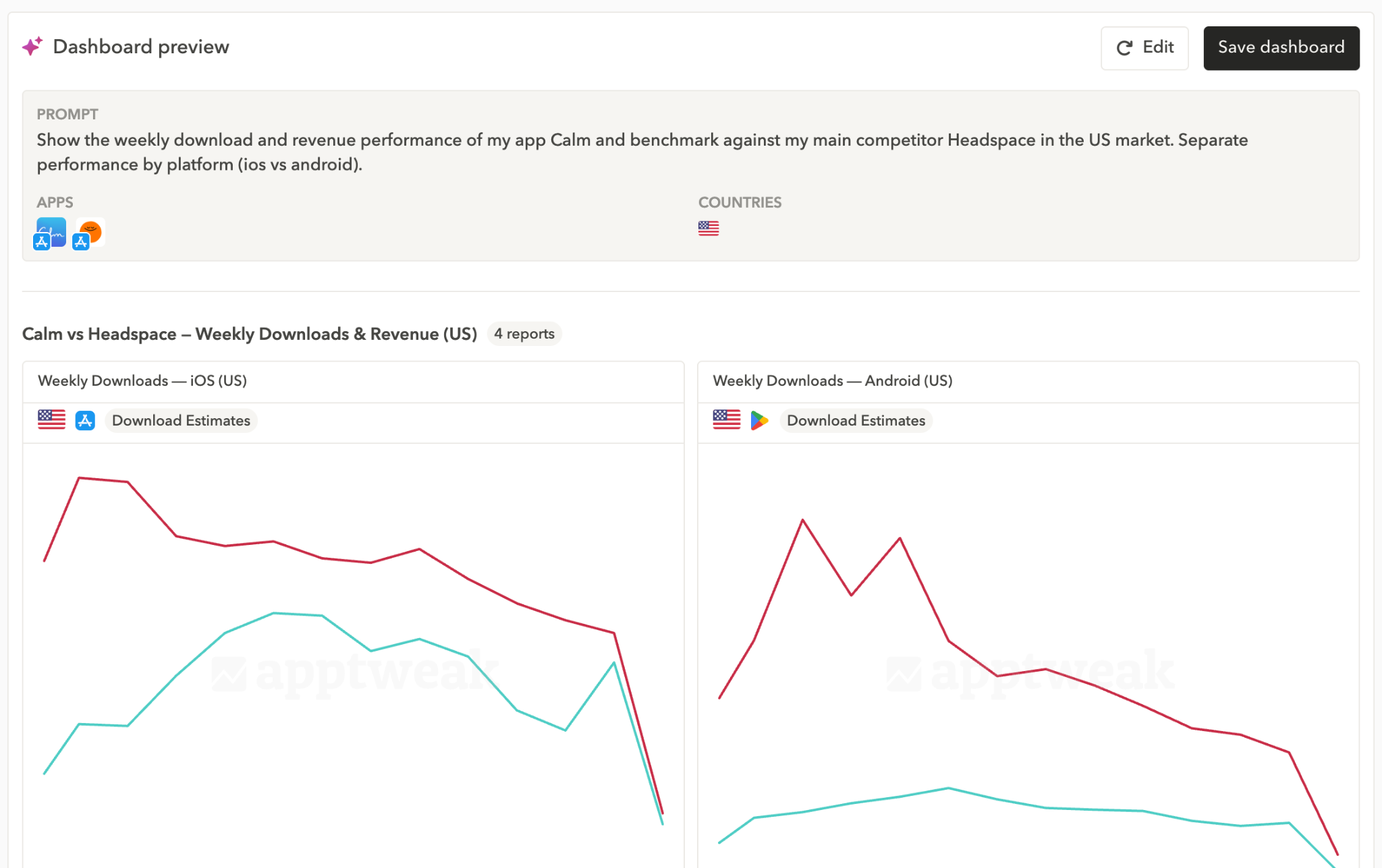
Build app store performance dashboards in seconds using natural language with Reporting Agent
- Describe what you want to analyze — Reporting Agent selects the right metrics based on ASO best practices and builds the dashboard for you.
- Customize the output, or share it directly with your team without any manual configuration.
Learn more:
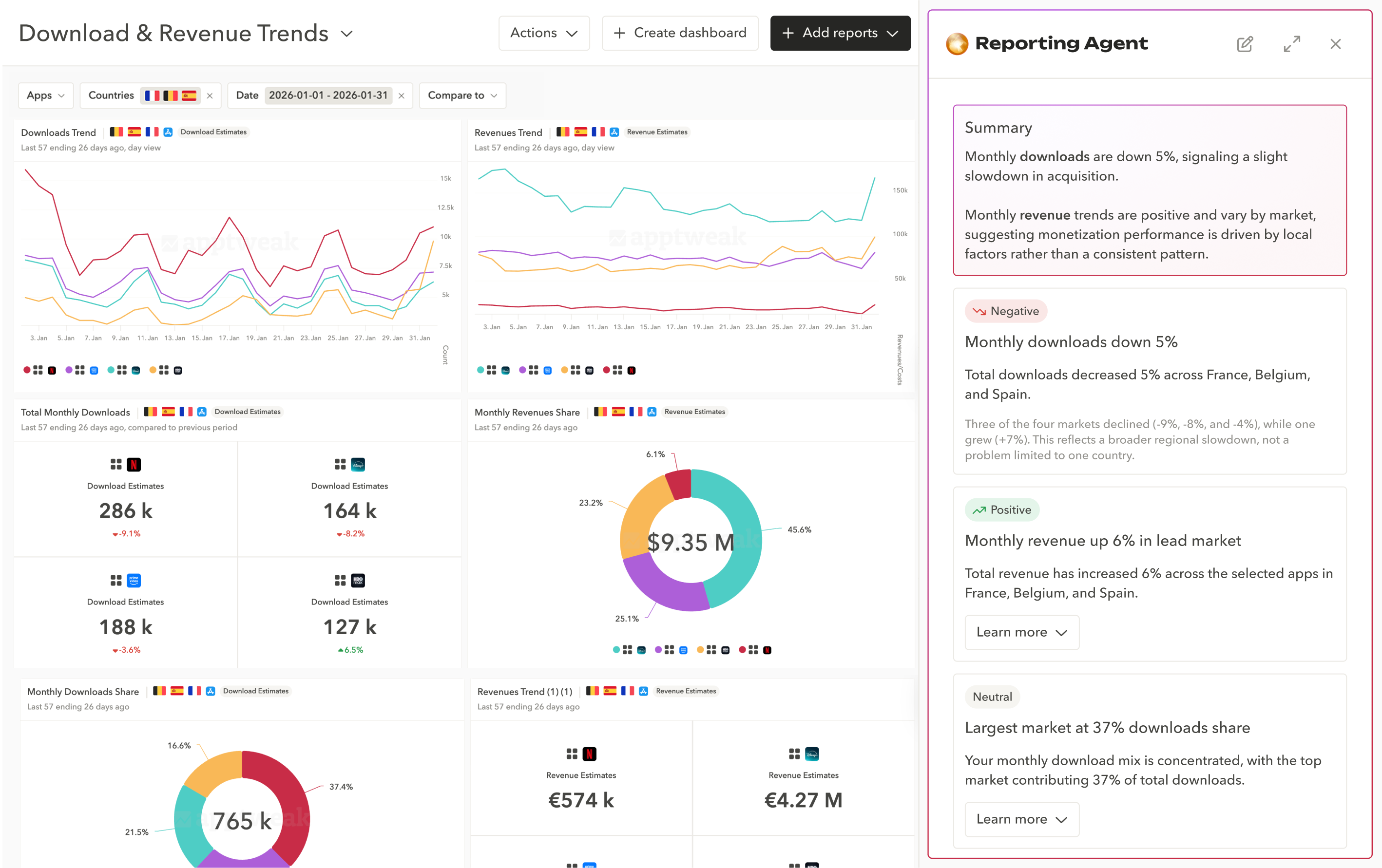
Explain your app store performance faster with AI-generated summaries for dashboards and incrementality experiments.
- Instantly generate clear summaries of performance trends to share in reports or stakeholder meetings.
- Surface relationships between metrics and reports to better understand what's driving performance changes.
- Measure incremental impact with confidence using guidance to interpret your incrementality experiments.
Learn more:
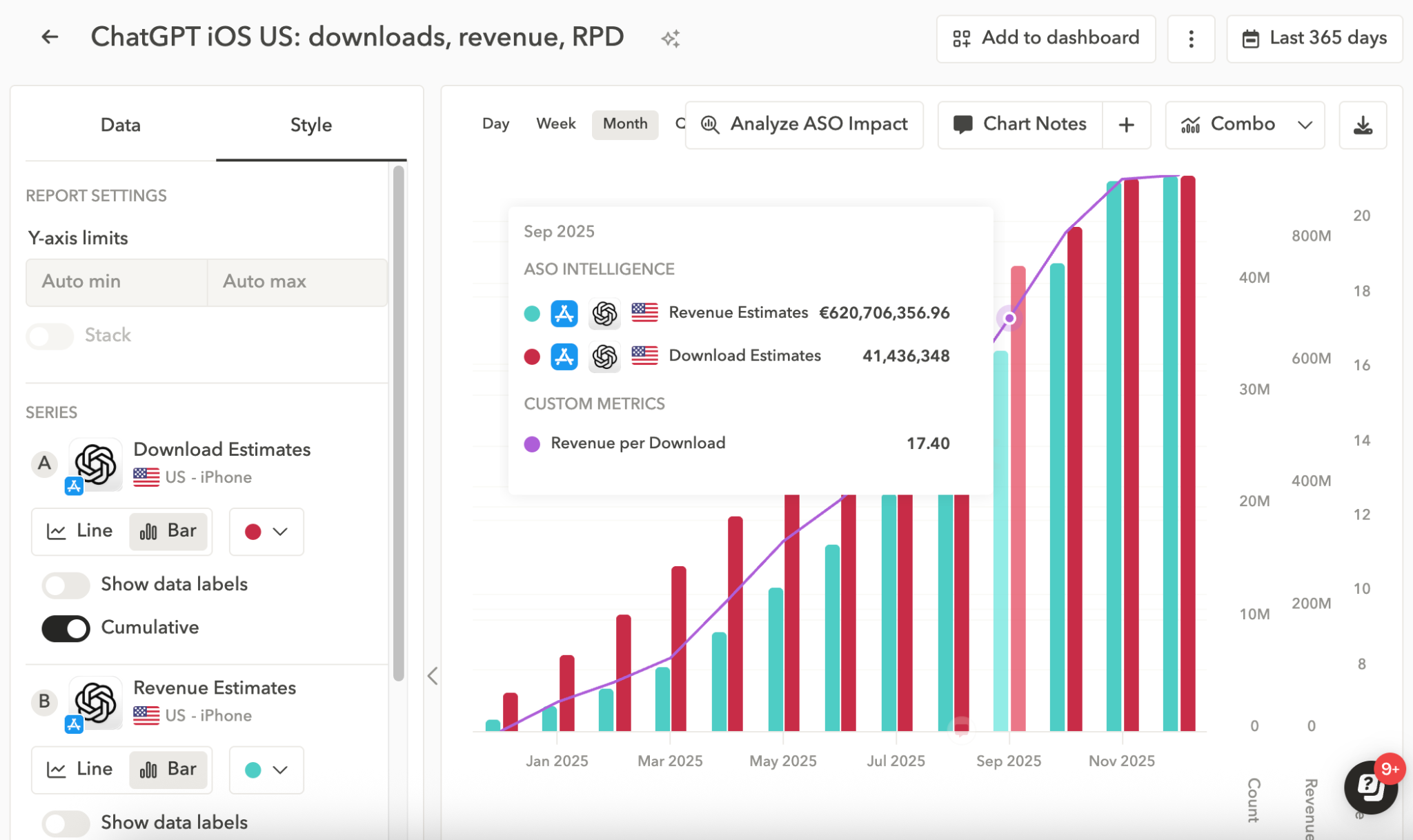
Customize your app store reporting with new Style controls:
- Adjust the y-axis scale.
- Set report series to cumulative to track total downloads or revenue over time.
- Use combo charts to mix line and column series in a single report.
- Switch line/column charts to stacked views.
- Table view \ - ideal for tracking keyword ranking evolution or totals.
Get started faster with new dashboard templates: - Apple Ads Overview: Measure Apple Ads performance over time, with country breakdowns.
- Store Performance & Competitor Overview: Essential & Grow users can now easily monitor their app or compare against competitors.
Useful links:
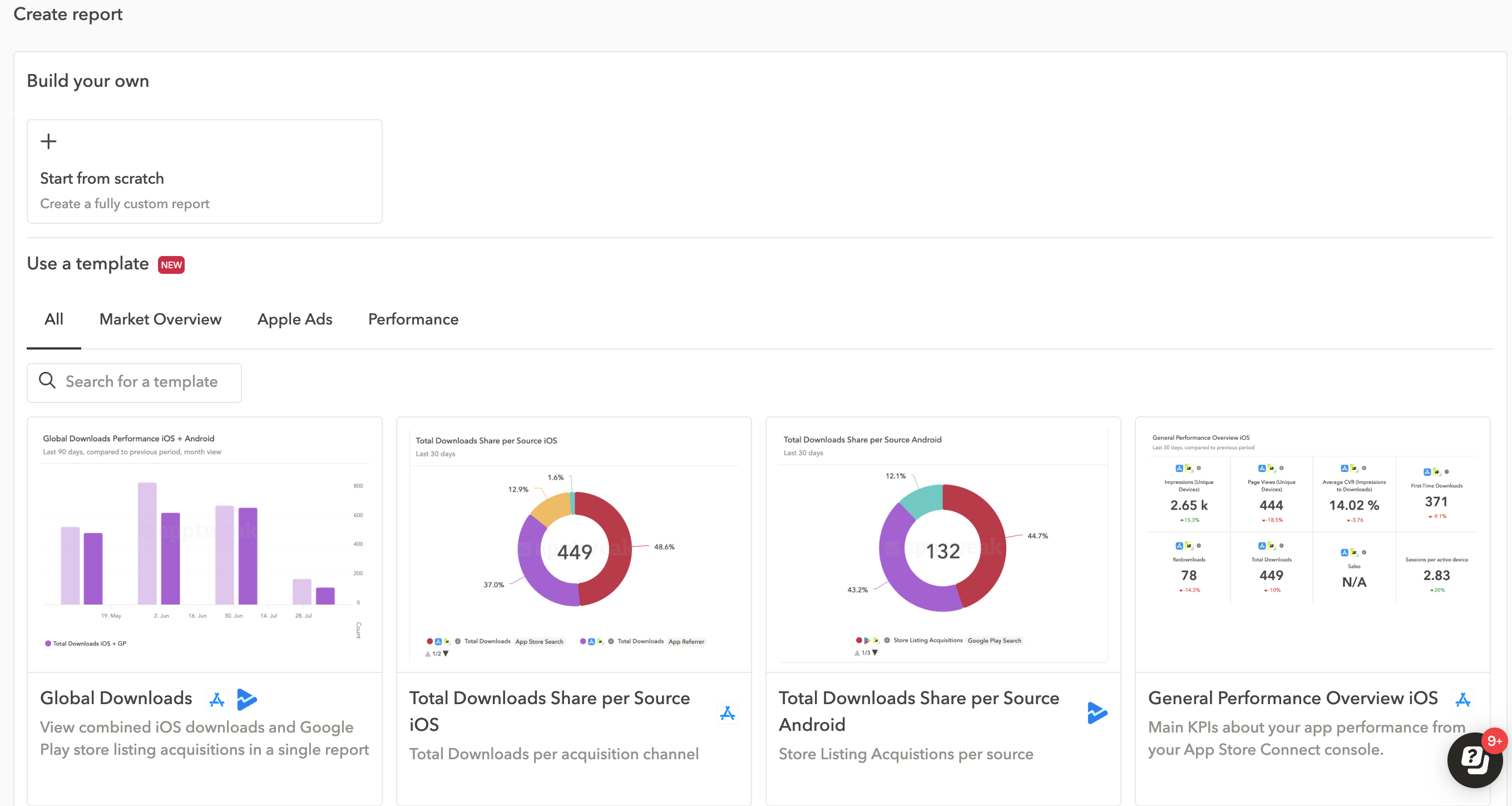
Save time building reports with ready-to-use templates for common ASO reporting needs.
- Choose from 10 pre-defined report templates, each including the most relevant KPIs, chart types, and date ranges.
- Simply select your apps and countries — your report will be generated instantly.
- Use templates as-is, or start from scratch to create a fully customized report.
Note: Some templates may be hidden if they include data not included in your plan (e.g., download & revenue estimates).
Useful links:
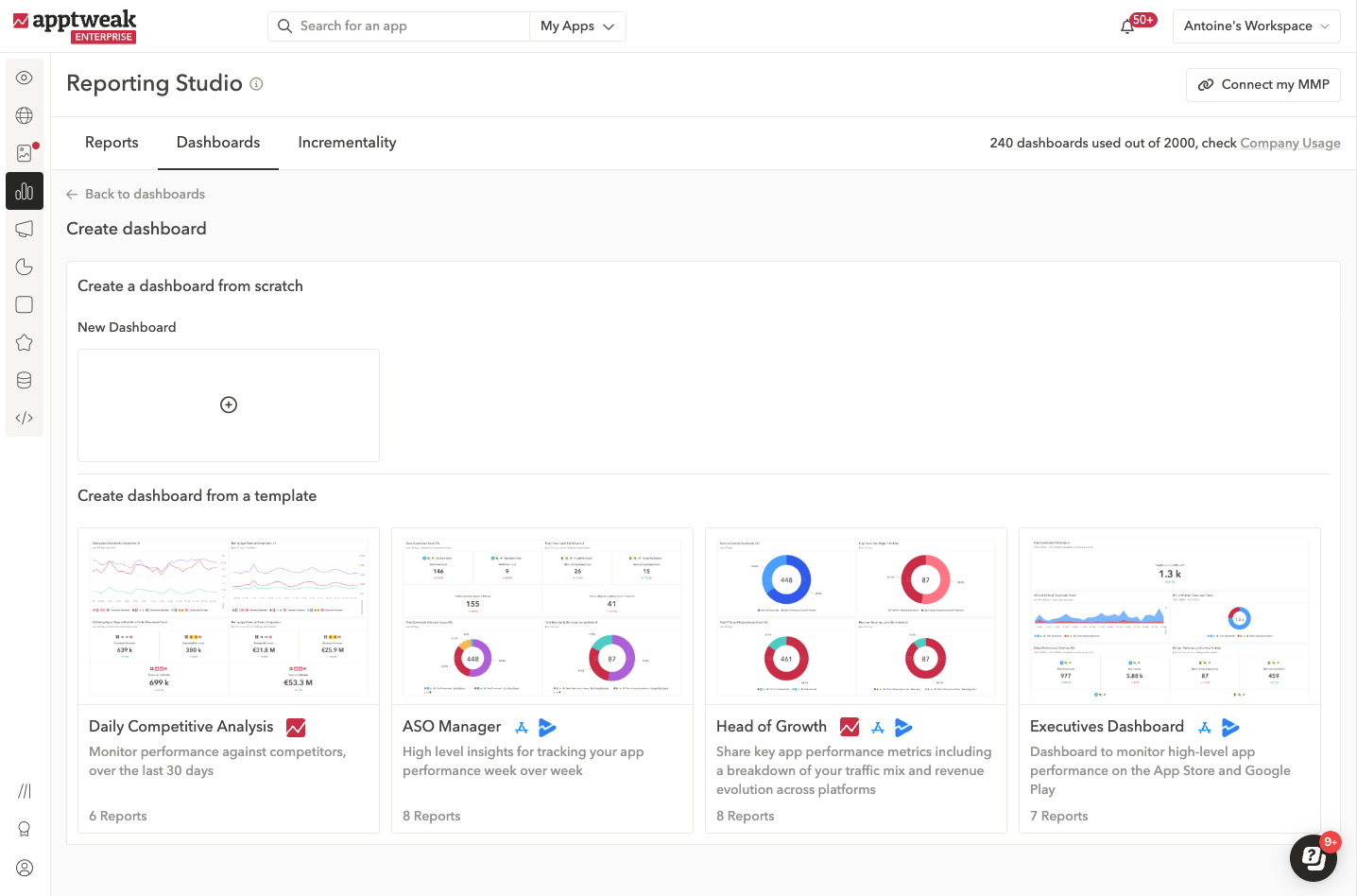
Save time with ready-made dashboards tailored to mobile marketing teams - fully customizable to your needs.
- Daily Competitive Analysis: Benchmark performance against top competitors.
- ASO Manager: Monitor store visibility and conversion performance on both stores.
- Head of Growth: Analyze traffic by source, new vs. returning users, and revenue trends.
- Executives: Share a high-level overview of your app's KPIs with top execs in just a few clicks.
Connect your console, click “Create new dashboard,” and choose a template to get started. More templates coming soon - let us know what you'd like to see next.
Useful links:
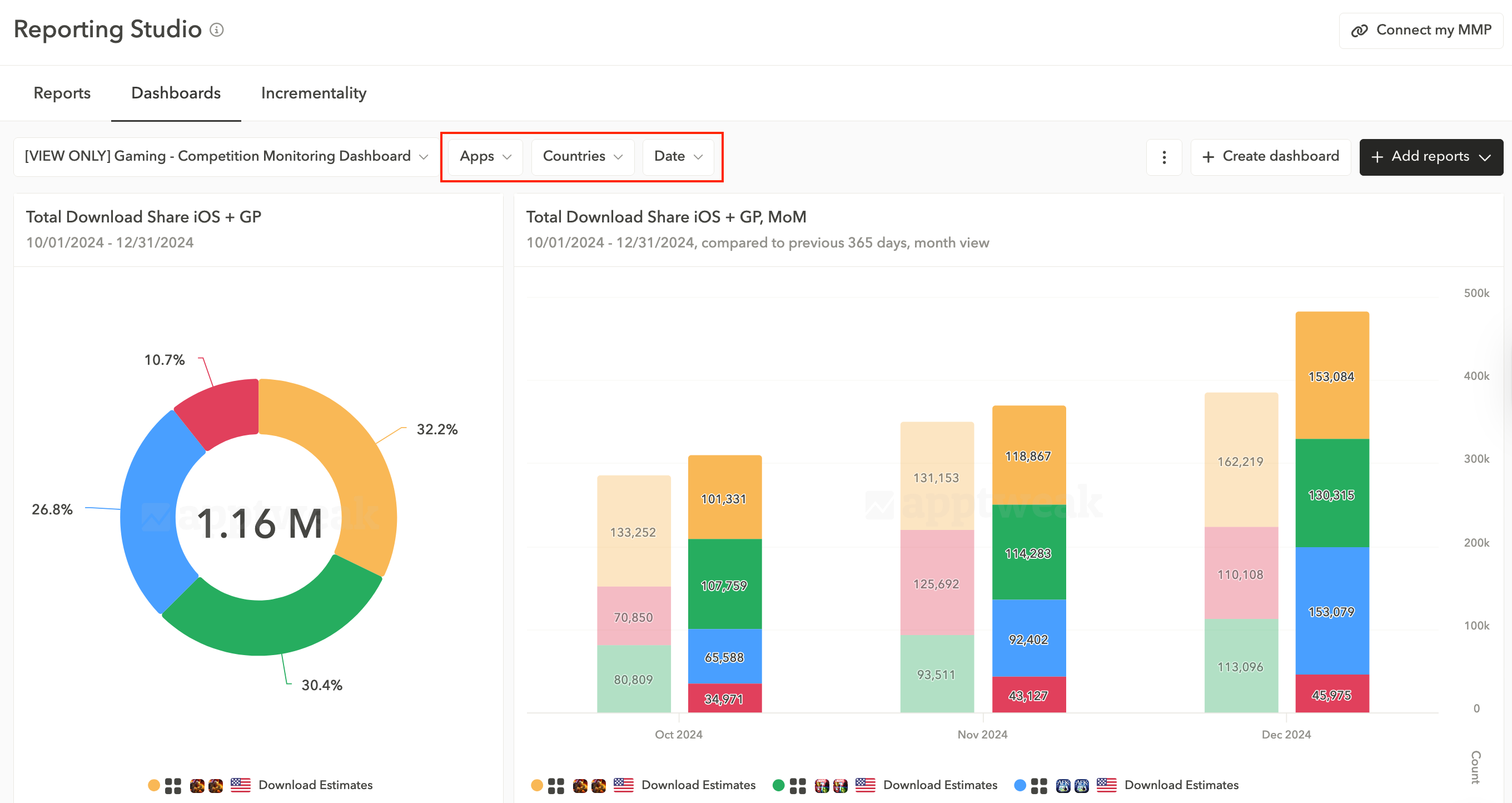
Get faster insights with dashboard-level filters.
Now in Reporting Studio: filter dashboards by app, country, or date to adapt all reports at once and spot performance trends across markets or time periods.
💡 Pro tip: When creating a new report, set the country to worldwide so you can filter by any country at the dashboard level.
Useful links:
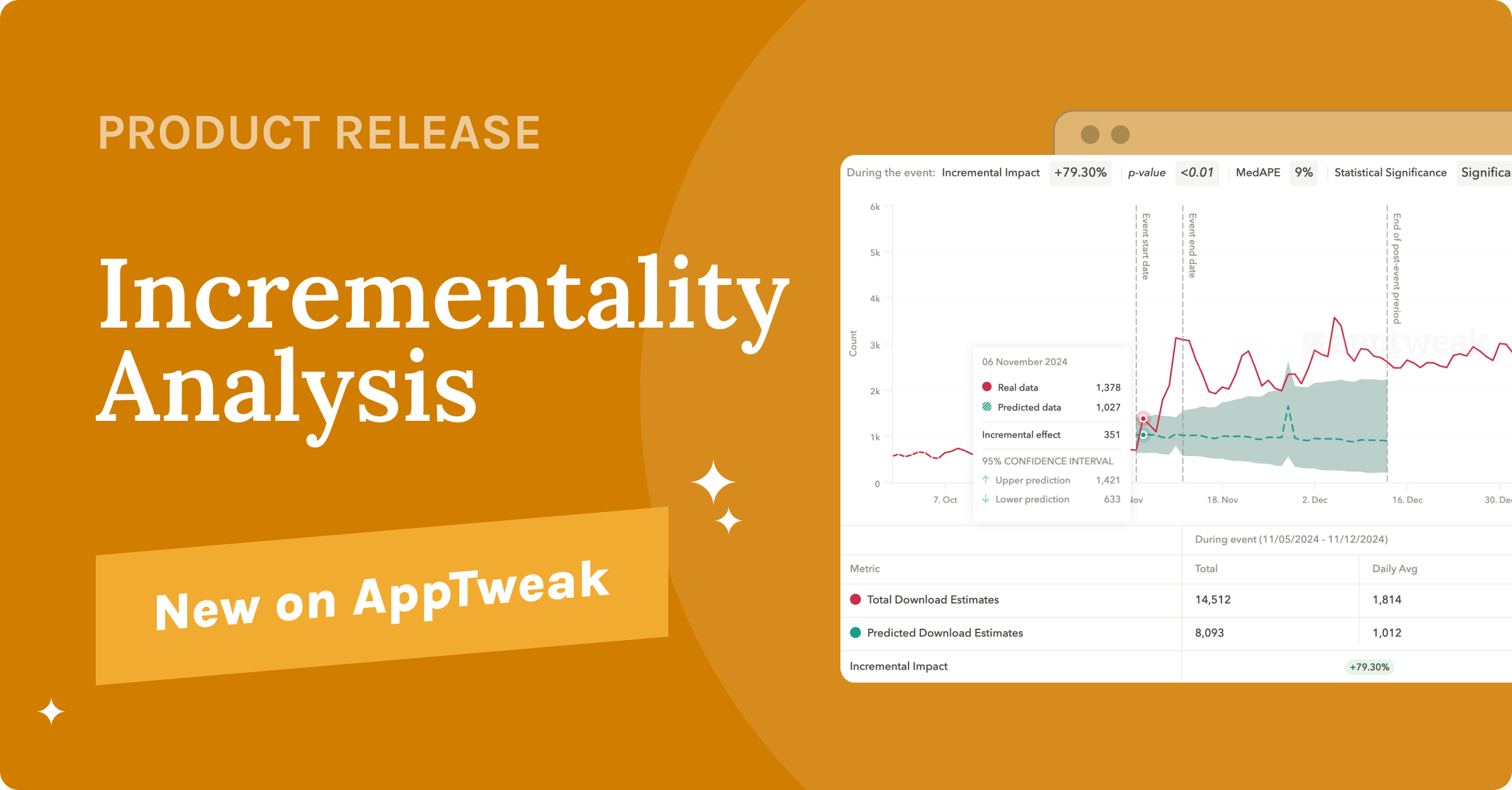
In 2025, most app marketers face the same challenge: how to prove impact. Without clear data, growth just becomes a guessing game…
That's why we're introducing Incrementality Analysis – a breakthrough in app store reporting that helps you separate real growth from statistical noise.
👉 Incrementality is the true, measurable impact of a marketing effort, isolated from external factors like seasonality or industry trends.
Instead of assuming correlation, an incrementality analysis compares a baseline forecast (as if no event had occurred) to your actual performance—so you can confidently measure what really moved the needle.
Incrementality is a complex topic and there are several approaches to measure it. Learn more about our incrementality analysis with these useful resources:
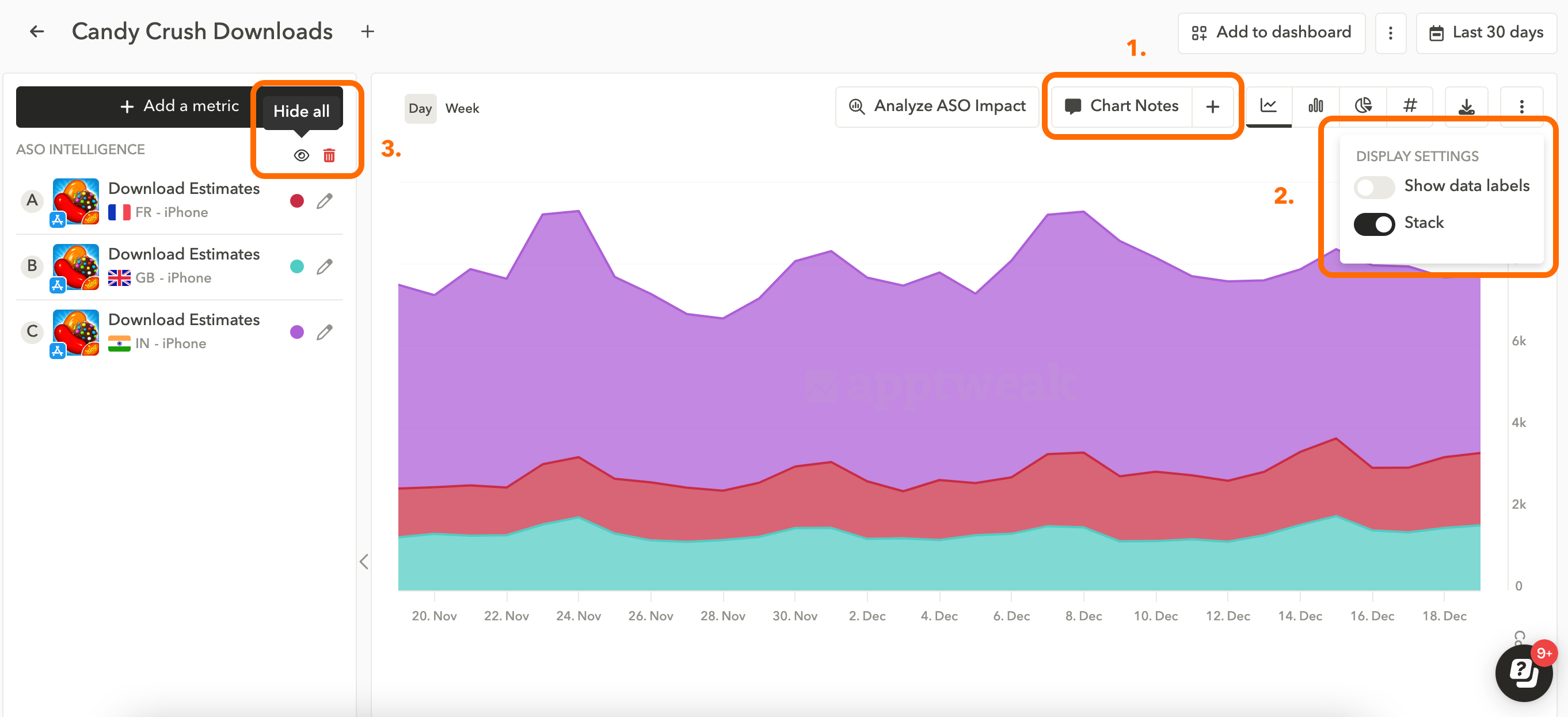
We recently introduced great improvements to Reporting Studio:
- Chart Notes
- You can now add custom notes to reports that will also be visible in the dashboards as well.
- New ASO metrics to report on:
- App Keyword Impressions
- 6 new metrics about your ratings & reviews
- Display Settings
- Show data label: Show data numbers directly on charts.
- Stack: Create stacked line or column charts.
For ASO managers, proving the impact of your work is a huge challenge.
With data scattered between the consoles, AppTweak, and MMPs, it can take hours to export all your data & build actionable reports at the start of each month.
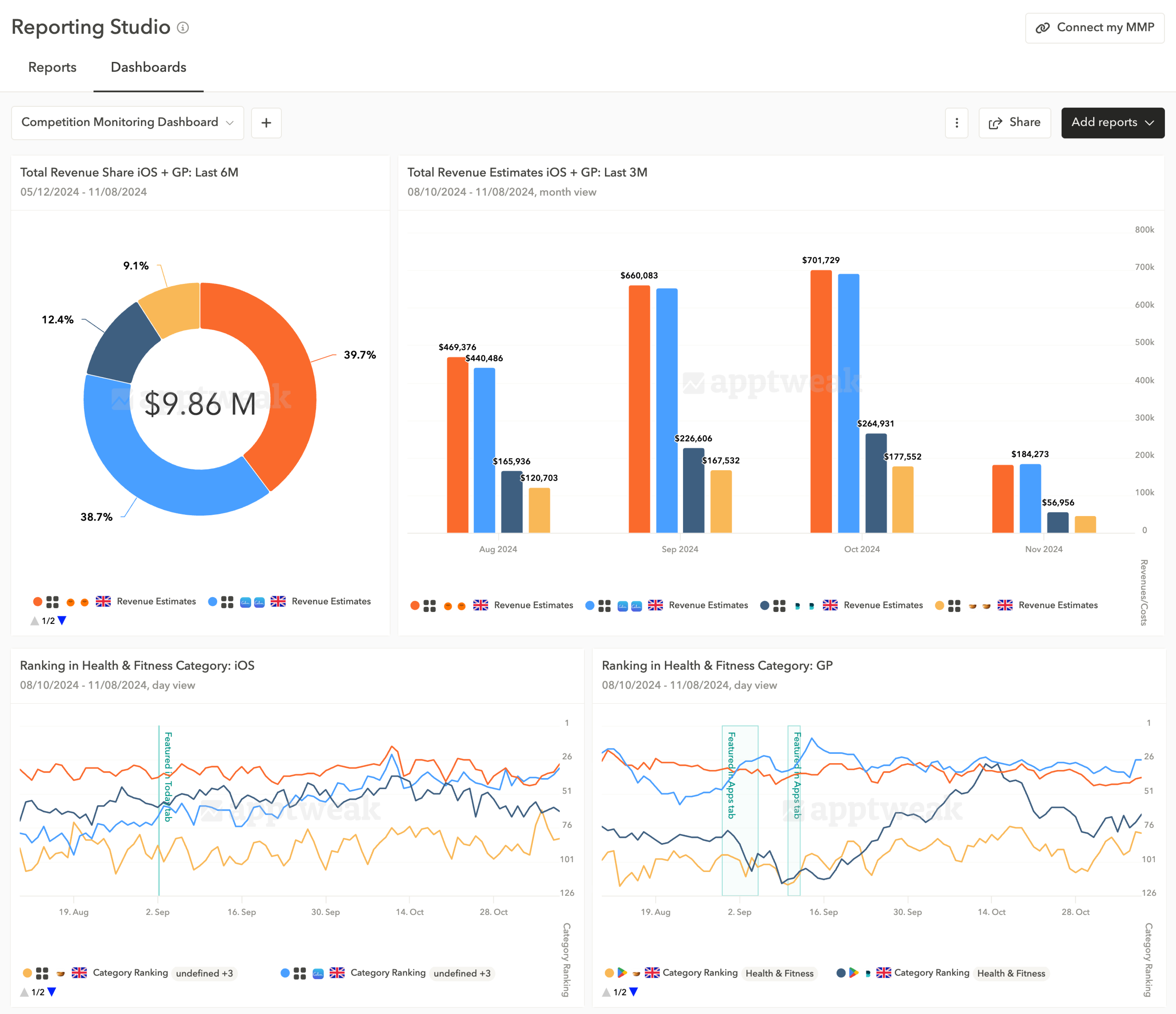
Dashboards in Reporting Studio are a new interactive, no-code, and shareable solution to simplify your ASO reporting workflow. Dashboards allow you to quickly report on all your App Store & Google Play data (as well as Apple Ads and MMP metrics), all in one place.
Useful links:
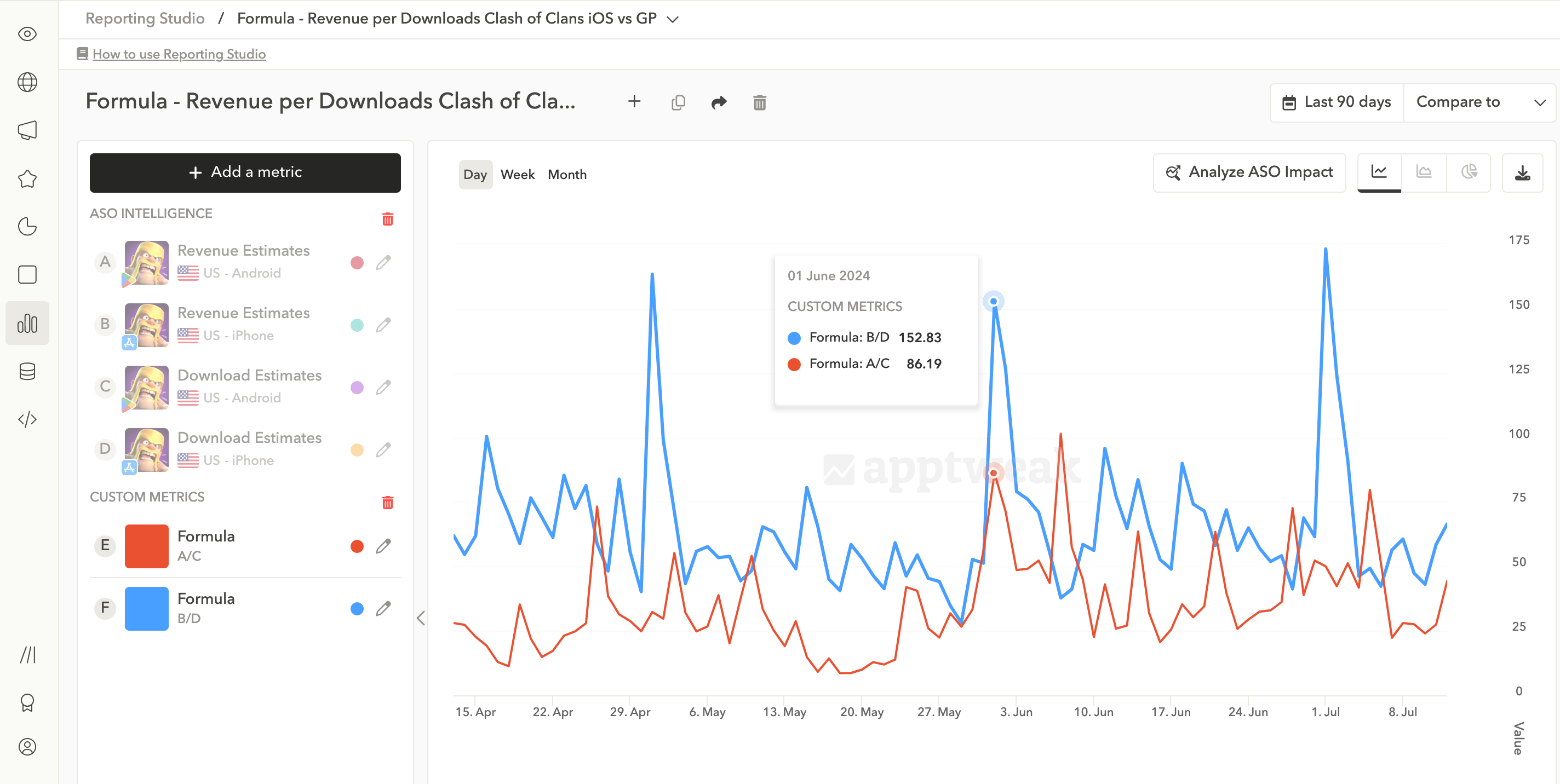
Reporting Studio now allows you to create custom metrics based on formulas of two or more other metrics. This feature will add a fantastic new dimension to your data analysis.
Monitor custom metrics such as revenue per download (example above), pure organic downloads (total downloads from App Store Connect minus installs from Apple Ads), or ROAS (based on MMP data & ASA spend) for more detailed and customized reports.
Useful links: