Updates
Follow new updates and improvements to AppTweak.
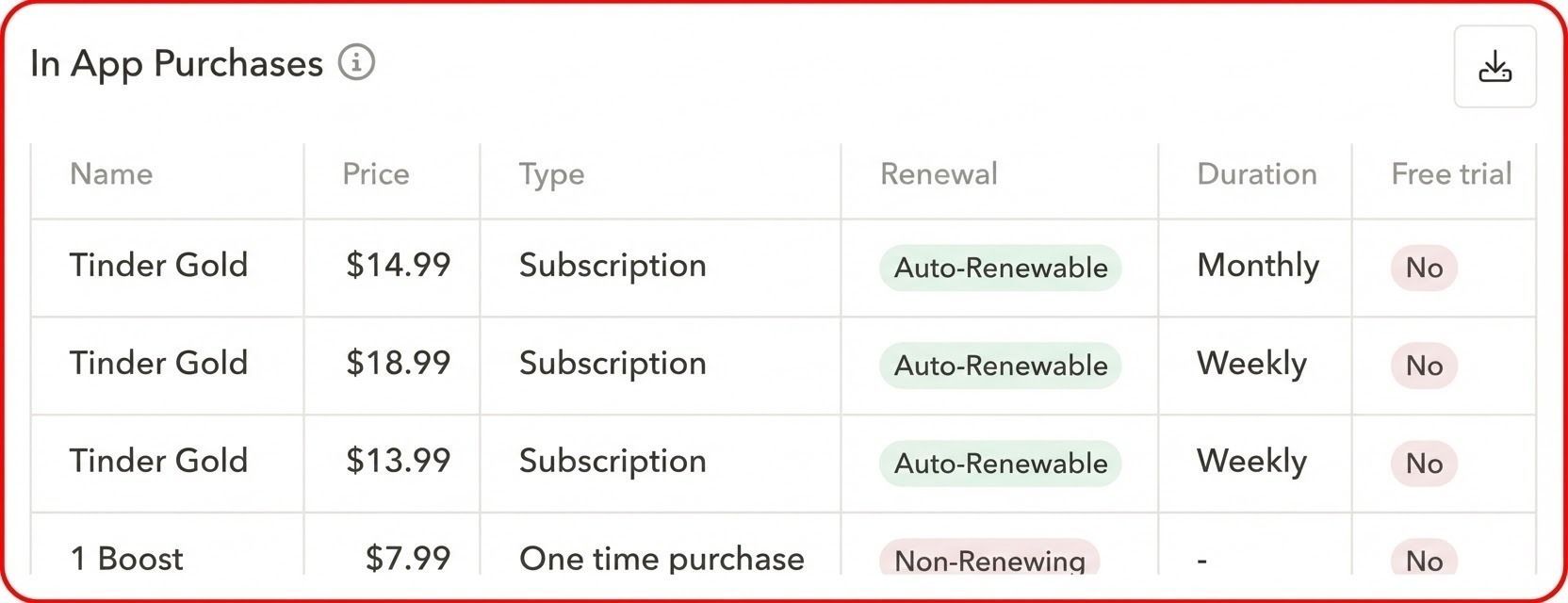
Understand how apps monetize through the App Store, directly in your market research workflow.
- View all available in-app purchases for any App Store app directly from the App Overview.
- Compare strategies across one-time purchases, subscriptions, auto-renewable, and non-renewing models in a single view.
- Export the full list to analyze pricing, free trials, and monetization strategies in more detail.
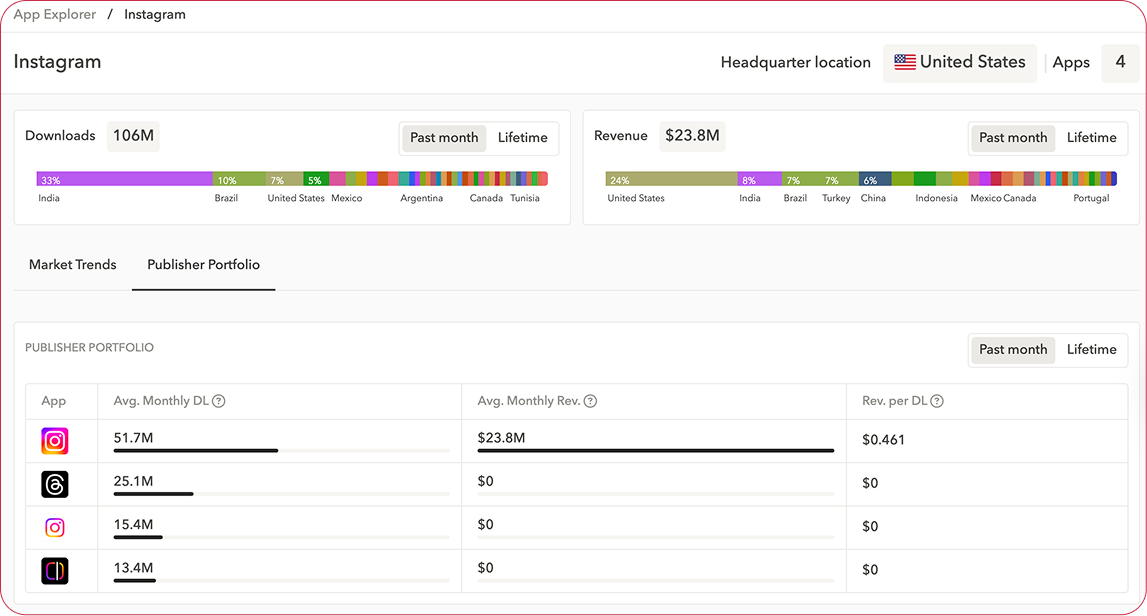
Get a unified view of publisher performance across parent companies and their legal entities.
- Group multiple publishers under a single parent company to analyze performance across subsidiaries, apps, and regions.
- Compare downloads and revenue performance at both parent-company and publisher level.
- Switch easily between individual publishers and their parent organization while viewing aggregated app performance.
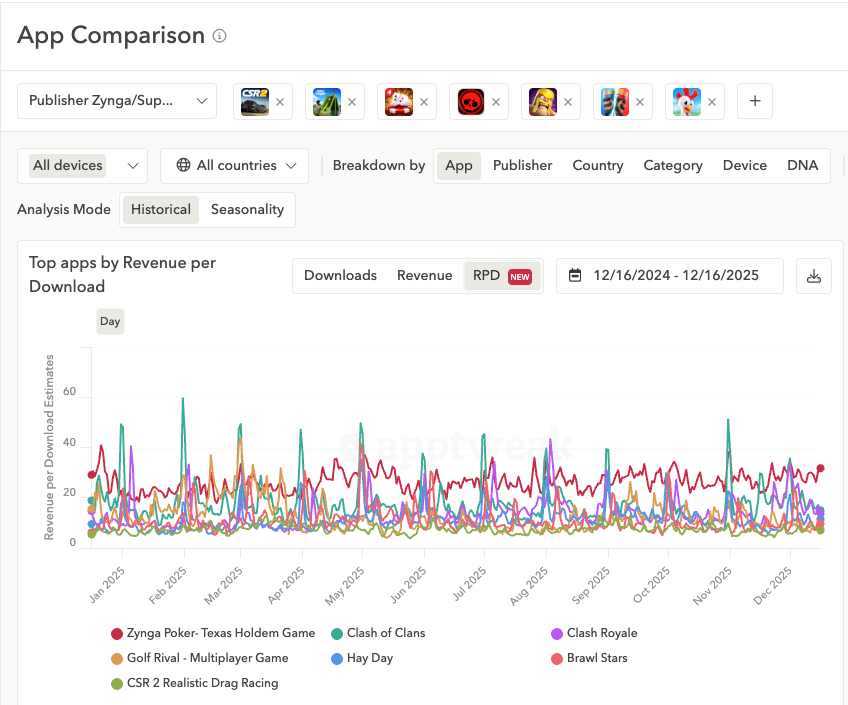
Get clearer, more visual insights into app monetization with new Revenue per Download graphs in Market Intelligence.
- Identify markets, apps, and publishers with higher monetization potential by comparing their app RPD.
- Distinguish growth that comes from more downloads vs. better monetization by analyzing RPD trends over time.
- Benchmark competitors based on monetization efficiency independently from their download performance.
The Starter plan now provides free access to market data across apps and publishers — worldwide:
- See download and revenue data for apps and publishers across the App Store and Google Play.
- Analyze publishers' entire portfolios and understand how each app contributes to their overall performance.
- Quickly check worldwide top charts to spot trending apps in your category and country.
And when you're ready to go further, the full Market Intelligence platform is packed with new ways to explore your competitive landscape — advanced filters, seasonality insights, comparison groups, and more.
Useful links:
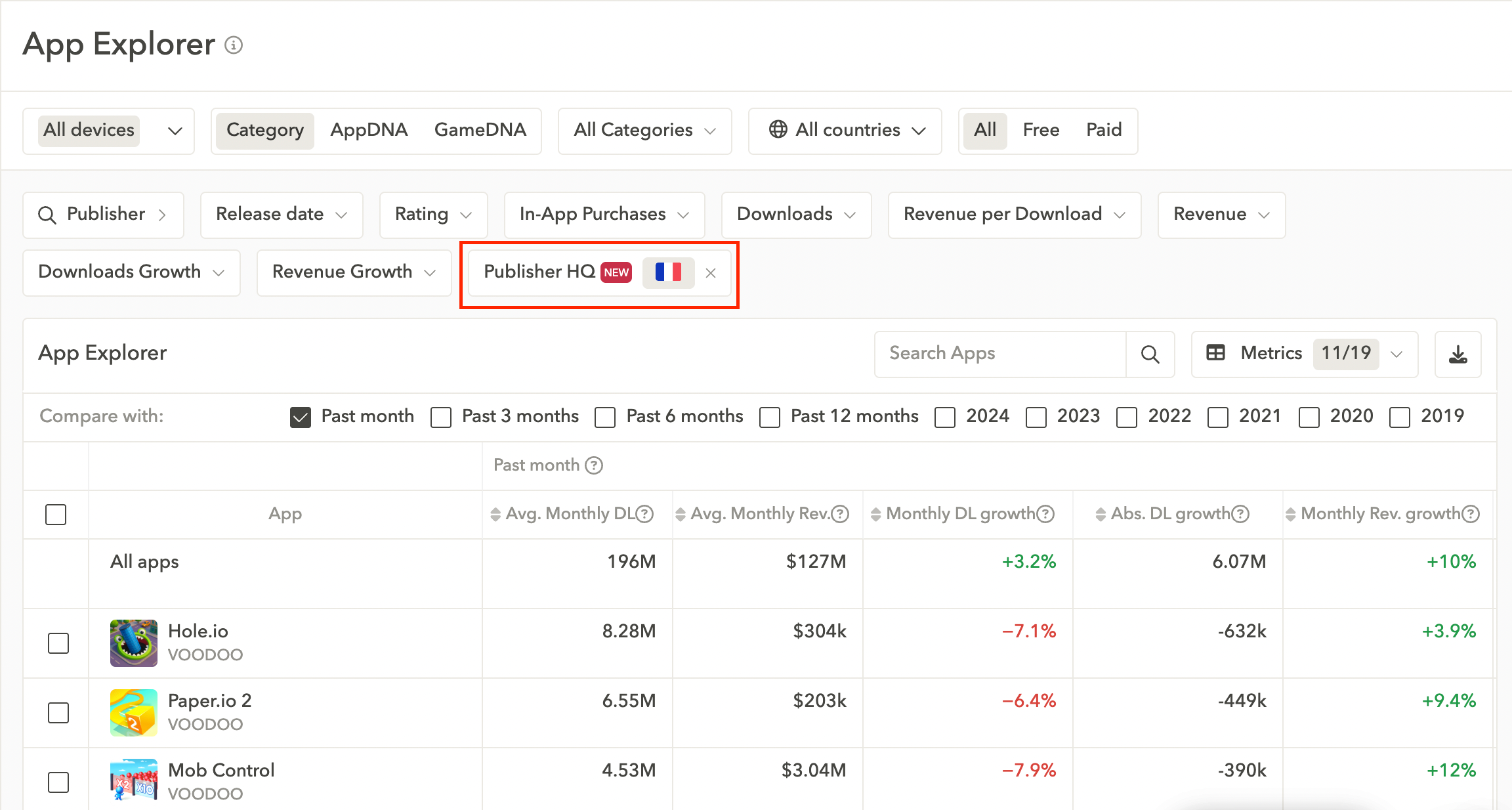
Filter your market research by HQ country to compare regional vs. international players in seconds.
- HQ country filter: In App Explorer and Publisher Explorer, filter apps and publishers by their HQ country. Quickly focus on and compare domestic vs. global players.
- HQ country visibility: See the publisher's HQ country directly in the Publisher Preview for added context in your market analysis.
Aug 21st, 2025
Useful links:
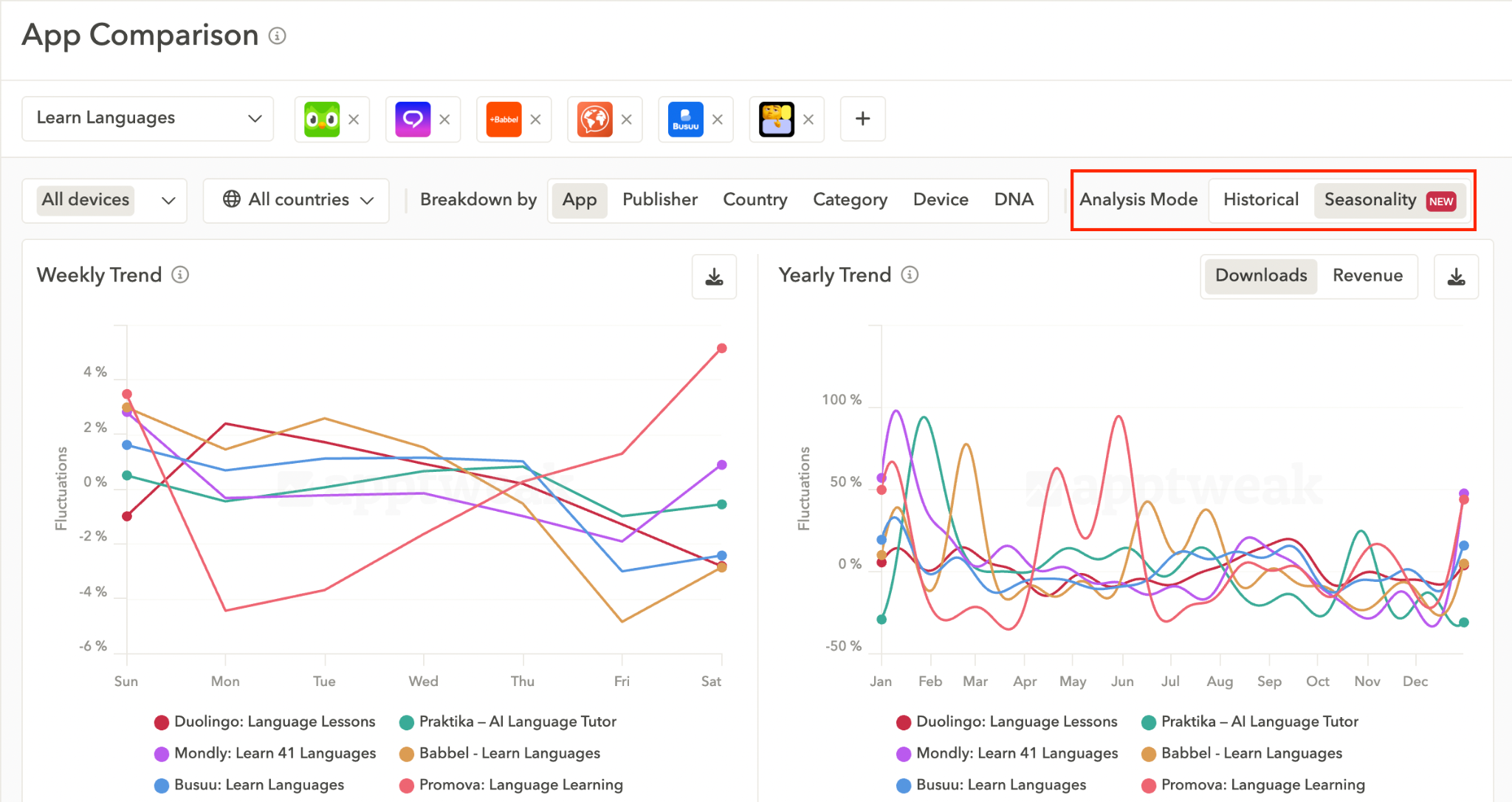
Seasonality Mode makes it easy to spot recurring peaks and low periods in downloads and revenues—by app, publisher, DNA, and more—so you can plan campaigns and updates with confidence.
- Track seasonal download and revenue patterns by app, publisher, DNA subcategory, category, country, and device.
- Use seasonality insights to schedule creative refreshes, product updates, and marketing budgets when impact is highest.
Seasonality Mode is available in Market Overview, App & Publisher Comparison, and App & Publisher Performance (single app/publisher view).
Useful links:
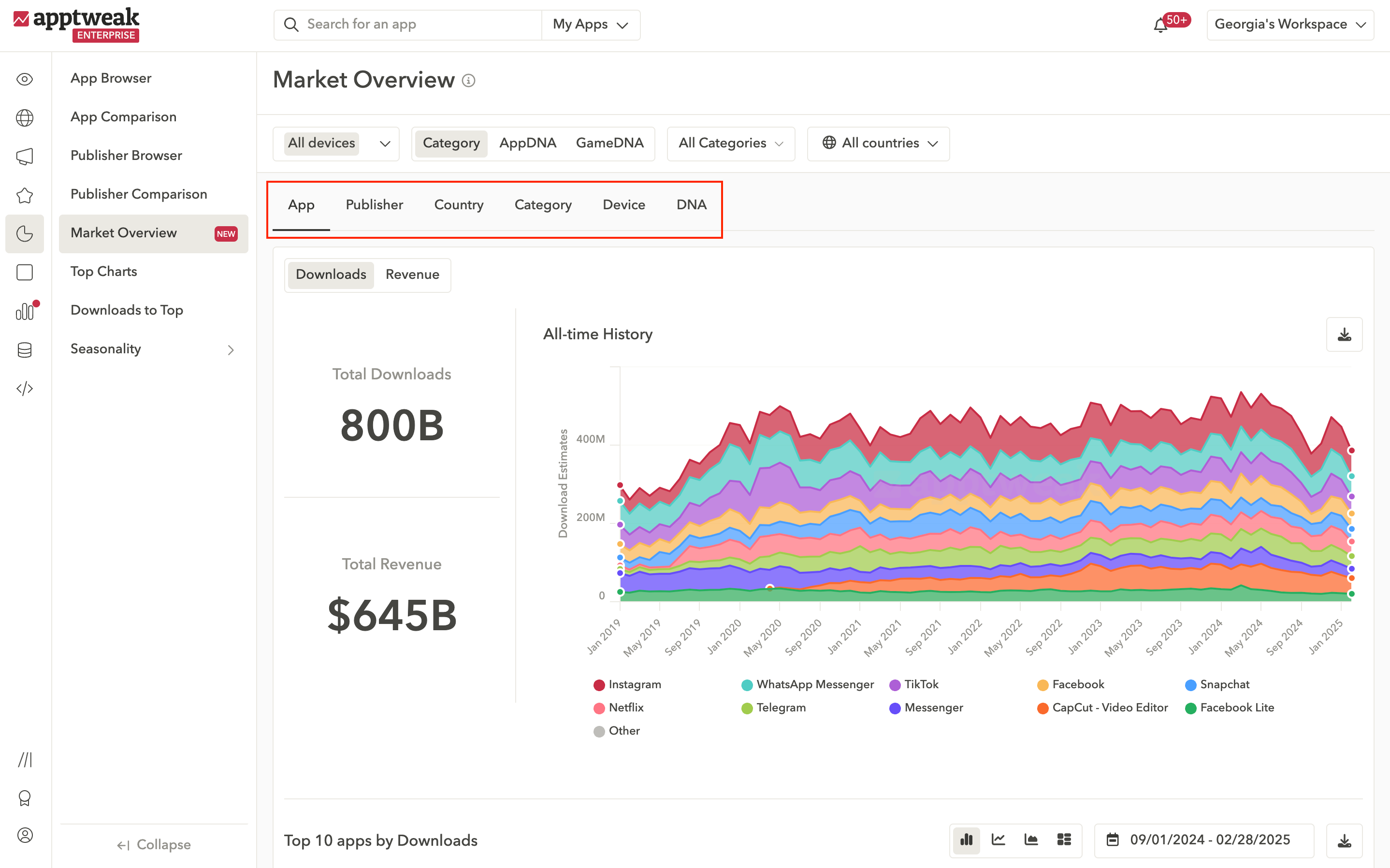
We've introduced several updates to make your market research faster and more insightful:
- New navigation: Explore Top Apps, Top Publishers, Top Countries, and more directly in the new Market Overview.
- New insights: Compare download and revenue trends between different Categories, DNAs, and Devices.
Pro tip: Identified relevant apps and publishers for your strategy? Save them to custom peer groups to keep a close eye on their market performance.
Useful links:
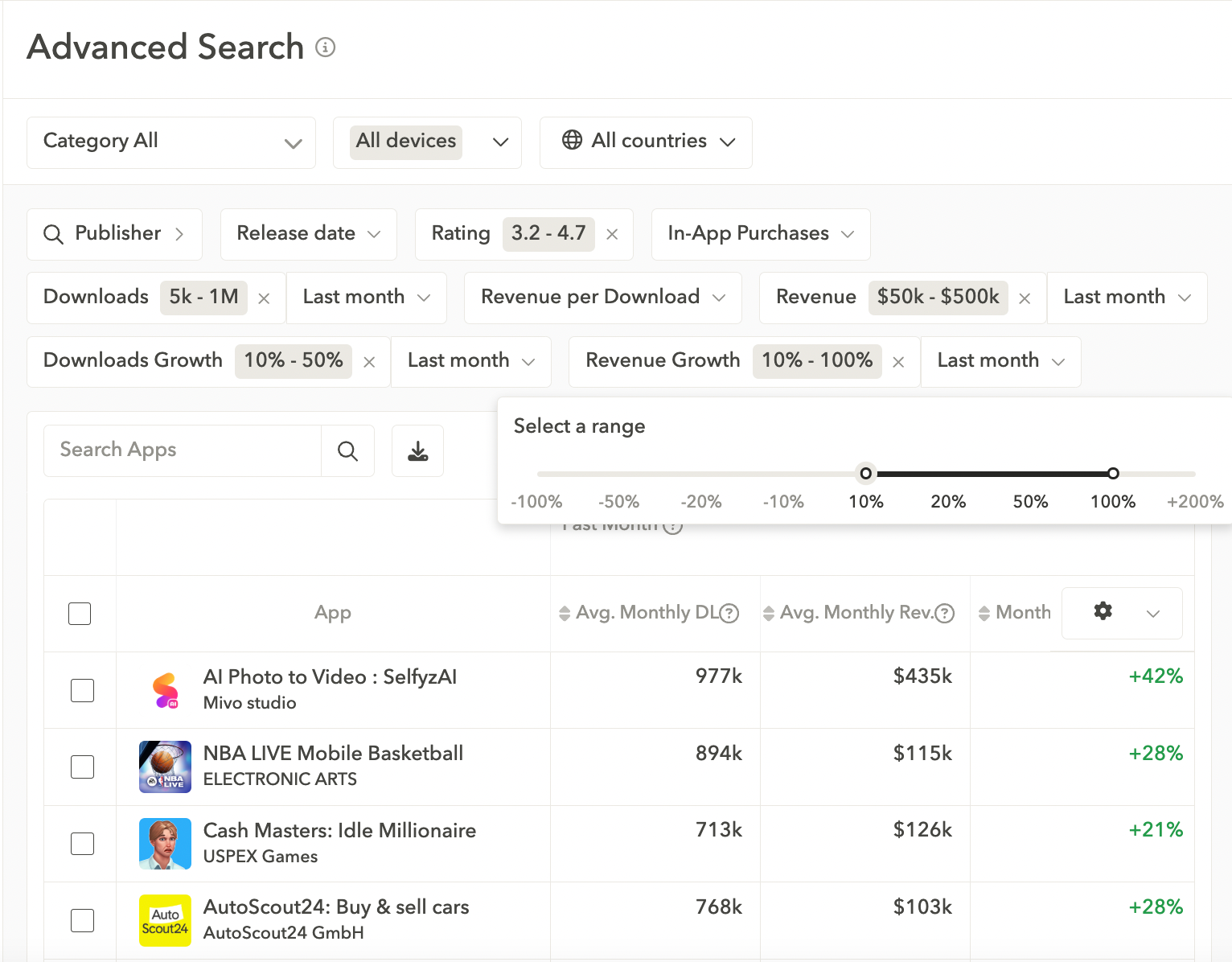
Now improve your app and publisher research with new customizable and precise filters:
- Download/revenue range: Find apps and publishers that meet specific performance thresholds.
- Download/revenue growth: Analyze fast-growing or declining app and publishers in your market.
Useful links:
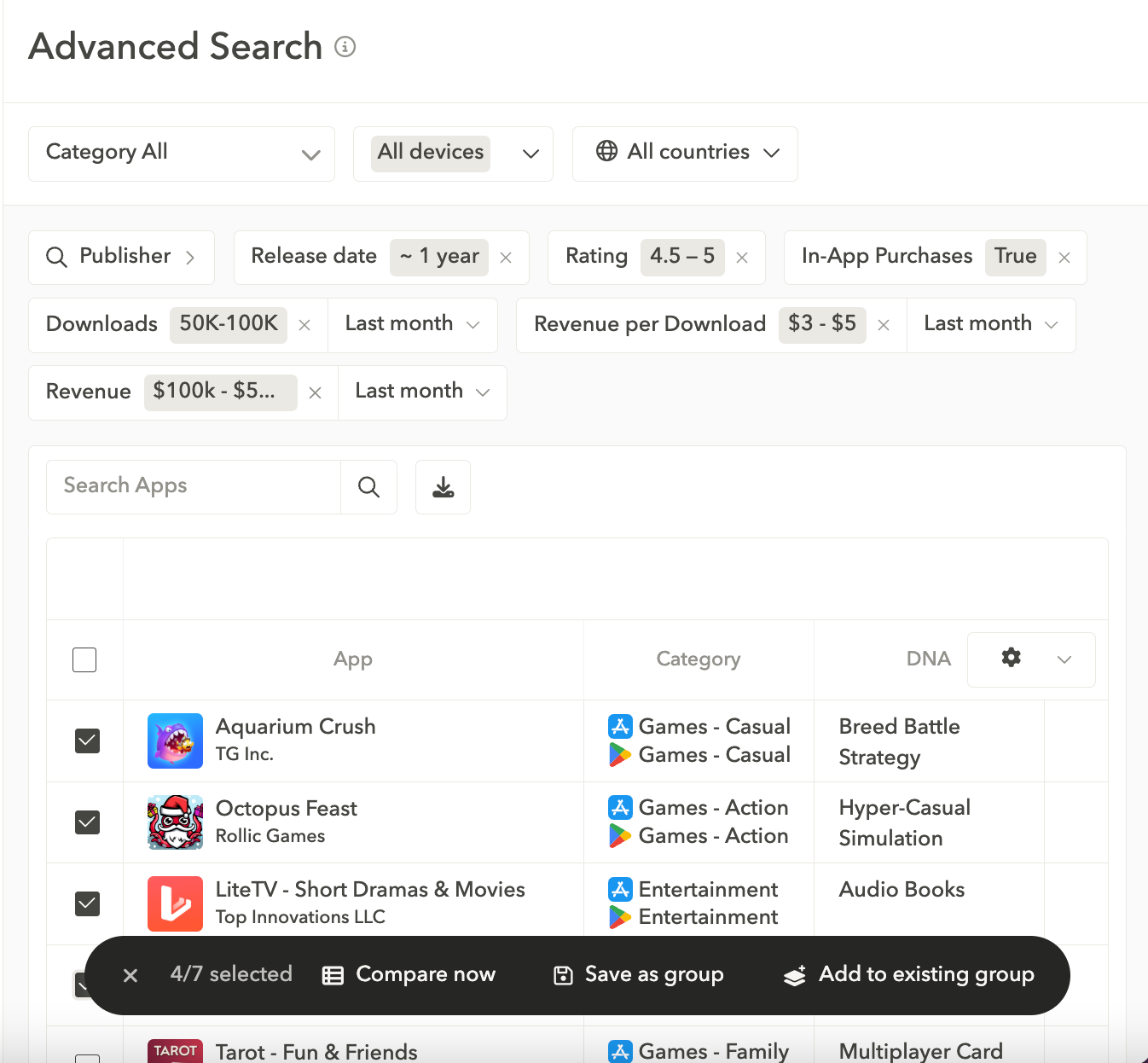
Discover a more intuitive way to search and organize your data. Our advanced filters empower you to quickly find what you need and take immediate action—all in one view.
- Quickly identify apps or publishers for tailored research using our advanced filters.
- With our new action bar, easily create new peer groups or add to existing ones without switching between tabs.
Useful links:
Analyze custom peer groups of apps and publishers (and save groups for faster, targeted research) with our new market intelligence comparison tools:
- Compare relevant apps or publishers side-by-side to analyze their performance and key metrics across markets.
- Save custom peer groups for future use.
Useful links: